- Home Page /
- Books /
- Computers & Technology /
- Software /
- Spreadsheets /
- Excel 2021: A Learner's Guide to Discover Exc...



Item #:
64168223
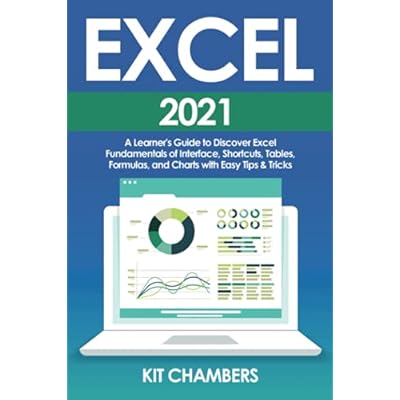
Excel 2021: A Learner's Guide to Discover Excel Fundamentals of Interface, Shortcuts, Tables, Formulas, and Charts with Easy Tips & Tricks Paperback
Item #:
64168223
FJD 65
Price Details
Excluding Shipping & Custom charges ( Shipping and custom charges will be calculated on checkout )
*All items will import from US
In stock
 Imported from USA store
QTY:
Order now and get it around Thursday, June 25
Secured transaction
Ubuy works hard to protect your security and privacy. Our advanced payment security system ensures confidentiality by encrypting your information during transmission using AES (Advanced Encryption Standards) and SSL (Secure Socket Layer) protocols. Your payment details are 100% secure as we do not share your payment details with third party sellers.
Our Top Logistics Partners


Forget about spending hours trying to figure out how to do something - we've got it covered here!

Fast
Shipping

Free
Return*

Secure Packaging

100% Original Products

PCI DSS Compliance

ISO 27001 Certified


Note: Step Down Voltage Transformer required for using electronics products of US store (110-120). Recommended power converters Buy Now.


What Stands Out
User-Friendly Approach
The guide simplifies Excel fundamentals using clear explanations, making it ideal for beginners eager to master the interface, shortcuts, and basic functionalities effortlessly.
Practical Tips
Includes easy tips and tricks that enhance learning efficiency, empowering users to apply essential skills in real-world scenarios and boost productivity in everyday tasks.
Comprehensive Coverage
Offers a detailed exploration of tables, formulas, and charts, ensuring learners gain a solid foundation and confidence to utilize Excel effectively for data management.
Product Details
- DO YOU WANT TO LEARN MS EXCEL WITHOUT HAVING TO WASTE TIME WITH UNSUCCESSFUL TUTORIALS OR BORING MANUALS?ARE YOU A BEGINNER AND WANT TO BECOME AN EXPERT IN MS EXCEL IN 30 MINUTES A DAY?If so, then keep on reading.Many people find MS Excel overwhelming and difficult to use, but it doesn't have to be that way.There are so many different things we can do with it, but it's not easy to get started on your own, and the learning curve can be steep.The truth is that there are so many guides and tutorials out there on how to use MS Excel but most of them fall short in terms of being truly helpful.Most people who need to master MS Excel end up wasting their time trying one tutorial after another only get frustrated because they don't see results or worse still give up altogetherThat's why we created this guide for beginners - so you can master the most important tools in MS Excel and make your life easier at work, analyzing data or managing your finances. You'll learn practical skills that apply directly in just 30 minutes a day, for 7 days straight (no skimming required).This book is different from others because it addresses all the problems people face when learning how to use this software and provides practical examples, tips and tricks without spending hours reading boring manuals.With this guide, you can finally get your work done faster than ever before! Forget about spending hours trying to figure out how to do something - we've got it covered here!And don't worry if you're not an expert yet - our step-by-step instructions are easy enough even for beginners! This guide to MS Excel comprises the subsequent topics:Introduction to MS Excel 2021Complete guide to whole interface: become more confident in MS ExcelShortcuts and customization: boost your productivity that will make you feel like an expert!Cell referencing: learn how to use MS Excel with easeFormulas and functions: you'll be able to do more with less effortCheat sheet (Office 365)Creating tables and charts: be more efficient and productiveTips and tricks: gain more control over your work life and free up some time for yourselfAnd many more…So go ahead, take advantage of this offer today while supplies last. We dare say there's no better deal on the market right now than ours!So, what are you waiting for?Click “BUY NOW” and enjoy this ultimate guidebook
| Publisher | Independently published |
| Publication date | August 8, 2021 |
| Language | English |
| Print length | 121 pages |
| ISBN-13 | 979-8546046644 |
| Item Weight | 6.7 ounces (189.95 grams) |
| Dimensions | 6 x 0.28 x 9 inches (15.2 x 0.7 x 22.9 cm) |
Who Should Buy?

-
Beginners Awash
Ideal for complete beginners who want to learn Excel basics and gain confidence in using the software.
-
Students Seeking Skills
Perfect for students who need to improve their Excel skills for academic projects or future job requirements.
-
Professionals Refreshing Knowledge
Useful for professionals looking to refresh their knowledge and learn shortcuts to increase efficiency in Excel.

-
Advanced Users
Not suitable for experienced Excel users looking for advanced techniques or in-depth analytics beyond basics.
-
Companies with Training
Organizations that provide Excel training may find this book redundant as they may require more tailored curricula.
-
Specialized Excel Needs
Users needing specialized functions or complex data analysis may not find sufficient depth in this guide.
Product Description
Have any Query? Chat with us
Customer Questions & Answers
-
Question:
What are the key features of Excel 2021 that this guide covers?
Answer: This guide covers essential features of Excel 2021, including the user interface, keyboard shortcuts, table creation, formula applications, and chart generation. By understanding these fundamentals, users can enhance their productivity and make data analysis more efficient. Practical scenarios such as creating a budget spreadsheet or visualizing data trends through charts illustrate how these skills apply in everyday tasks. -
Question:
Who is this Excel 2021 guide intended for?
Answer: This guide is designed for beginners and learners who want to grasp the basics of Excel 2021. Whether you're a student, a professional, or a homemaker looking to organize your finances, this book provides structured learning tailored to your needs. It simplifies complex concepts using straightforward language, making it accessible for anyone unfamiliar with Excel. -
Question:
Does this guide include practical tips and tricks for Excel?
Answer: Yes, the guide includes a variety of practical tips and tricks that streamline your workflow in Excel 2021. These insights help users master shortcuts, automate repetitive tasks, and create visually appealing tables and charts. For instance, learning to use formulas can significantly reduce manual calculations, saving time and minimizing errors in professional reports and personal projects. -
Question:
What are Excel shortcuts, and why are they important?
Answer: Excel shortcuts are key combinations that allow you to execute commands quickly without relying on the mouse. This guide emphasizes their importance as they boost efficiency, enabling users to perform tasks like data entry and formatting much faster. For example, using shortcuts to copy and paste data can enhance your productivity when managing large datasets. -
Question:
Will this guide help in mastering Excel's formula functionality?
Answer: Absolutely! The guide provides comprehensive explanations and examples of various formulas used in Excel, from basic arithmetic to complex logical functions. Mastering these formulas allows users to analyze data effectively and make informed decisions based on their findings. For example, learning how to use the SUM function can effortlessly calculate totals in financial reports. -
Question:
How does this guide approach learning Excel tables?
Answer: The guide takes a hands-on approach to learning Excel tables, guiding users through the creation and customization of tables for effective data management. It explains how tables can streamline data organization and enhance analysis. For instance, understanding how to use filters in a table significantly improves data visibility when tackling large datasets. -
Question:
Can I use this guide for self-study at my own pace?
Answer: Yes, this guide is structured to facilitate self-paced learning. It includes step-by-step instructions, clear examples, and exercises that encourage practice and application of skills. This makes it perfect for individuals who may want to learn Excel 2021 skills at their convenience, whether for personal or professional growth. -
Question:
What should I expect regarding the user interface in Excel 2021?
Answer: The guide introduces users to the Excel 2021 user interface, highlighting its layout and features. Understanding the interface is crucial for navigating the software efficiently. Users can expect to learn about the ribbon, toolbars, and workspace setup, which directly impacts how smoothly they can execute tasks like chart creation and data manipulation. -
Question:
Are visuals included to aid in learning Excel functionality?
Answer: Yes, the guide features visuals such as screenshots and diagrams that illustrate key concepts. Visual aids are effective in reinforcing understanding, especially for complex functionalities like creating dynamic charts and utilizing advanced formulas. This helps learners visualize their progress and serves as a reference during practical application. -
Question:
Where can I buy Excel 2021: A Learner's Guide in Fiji?
Answer: You can purchase 'Excel 2021: A Learner's Guide' on Ubuy. Ubuy offers a seamless shopping experience, enabling you to find the book easily and with additional access options tailored to your region, making it simple to begin your journey with Excel 2021.
Spreadsheets Editorial Review
Excel 2021: A Learner's Guide to Discover Excel Fundamentals is a comprehensive book designed to help users navigate and master the features of the Microsoft Excel program. The book covers topics such as interface, shortcuts, tables, formulas, and charts, providing step-by-step instructions and tips. While some customers find the book to be poorly written and not suitable for advanced users, others appreciate its simplicity and thoroughness. The inclusion of screenshots is praised for making the instructions easy to follow. Overall, the book is recommended for beginners or those looking to improve their Excel skills.
Customer Reviews & Ratings
52 customers ratings
-
5 Star
59%
-
4 Star
22%
-
3 Star
8%
-
2 Star
5%
-
1 Star
6%
Review this product
Share your thoughts with other customers
Pros
- Comprehensive coverage of Excel fundamentals
- Step-by-step instructions and tips
- Includes screenshots for easy understanding
- Suitable for beginners
- Helpful for improving Excel skills
Cons
- Poorly written
Product Price History
Important information
- Limitations : For products shipped internationally, please note that any manufacturer warranty may not be valid; manufacturer service options may not be available; product manuals, instructions, and safety warnings may not be in destination country languages; the products (and accompanying materials) may not be designed in accordance with destination country standards, specifications, and labeling requirements; and the products may not conform to destination country voltage and other electrical standards (requiring use of an adapter or converter if appropriate). The recipient is responsible for assuring that the product can be lawfully imported to the destination country. When ordering from Ubuy or its affiliates, the recipient is the importer of record and must comply with all laws and regulations of the destination country.
- Not all the products listed on Ubuy are for sale, as Ubuy is a global search engine. Products are subject to export/trade regulations.
FJD 65
Order now and get it around Thursday, June 25
This item is not restrict in my country.(Please click on above link if this item is not restrict in your country, So our team will review and allow.)
QTY:
Secured transaction
Ubuy works hard to protect your security and privacy. Our advanced payment security system ensures confidentiality by encrypting your information during transmission using AES (Advanced Encryption Standards) and SSL (Secure Socket Layer) protocols. Your payment details are 100% secure as we do not share your payment details with third party sellers.
Our Top Logistics Partners
Fastest cross-border delivery
Features & Benefits
- Learn MS Excel fundamentals in just 30 minutes a day for 7 days
- Practical examples, tips, and tricks provided without boring manuals
- Boost productivity with shortcuts and customization
- Master cell referencing, formulas, functions, tables, and charts
- Gain more control over work life with practical skills and time-saving methods
- Easy step-by-step instructions suitable for beginners